How to tell if an image is AI generated
AIImageEditor.pro · Published · Last updated
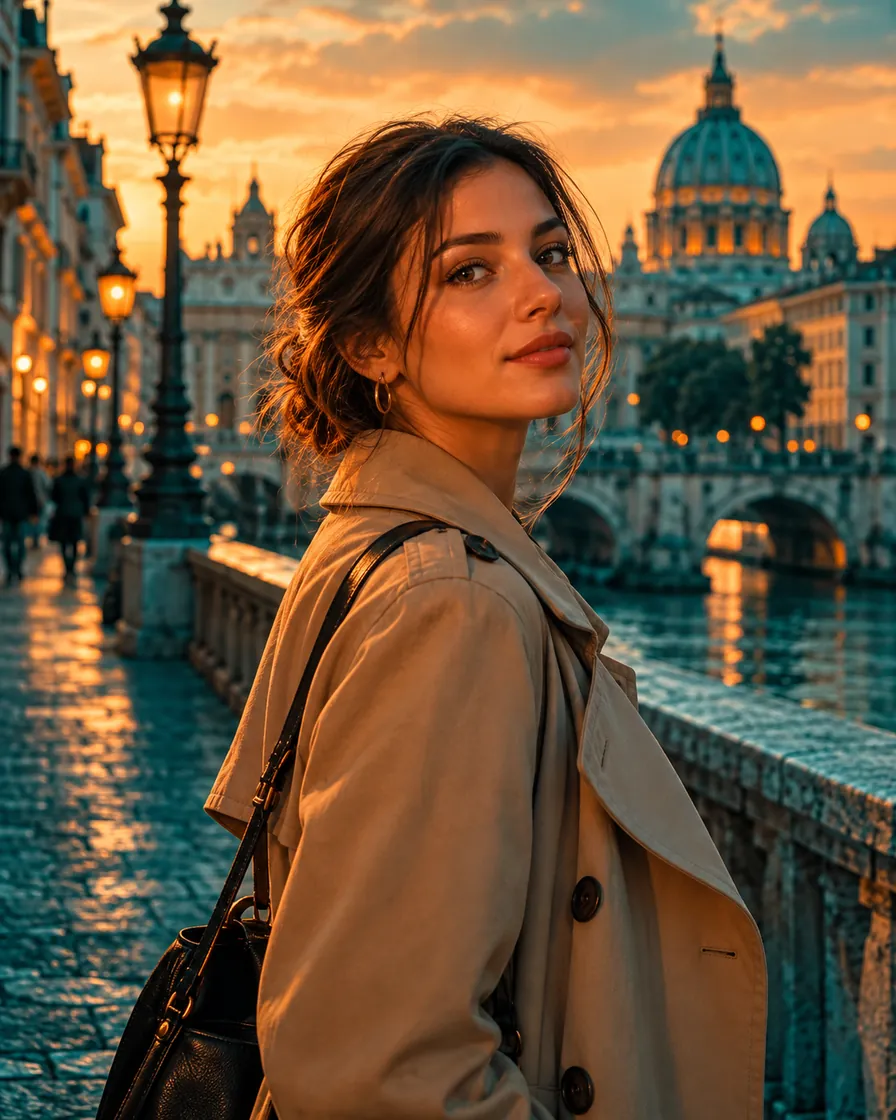
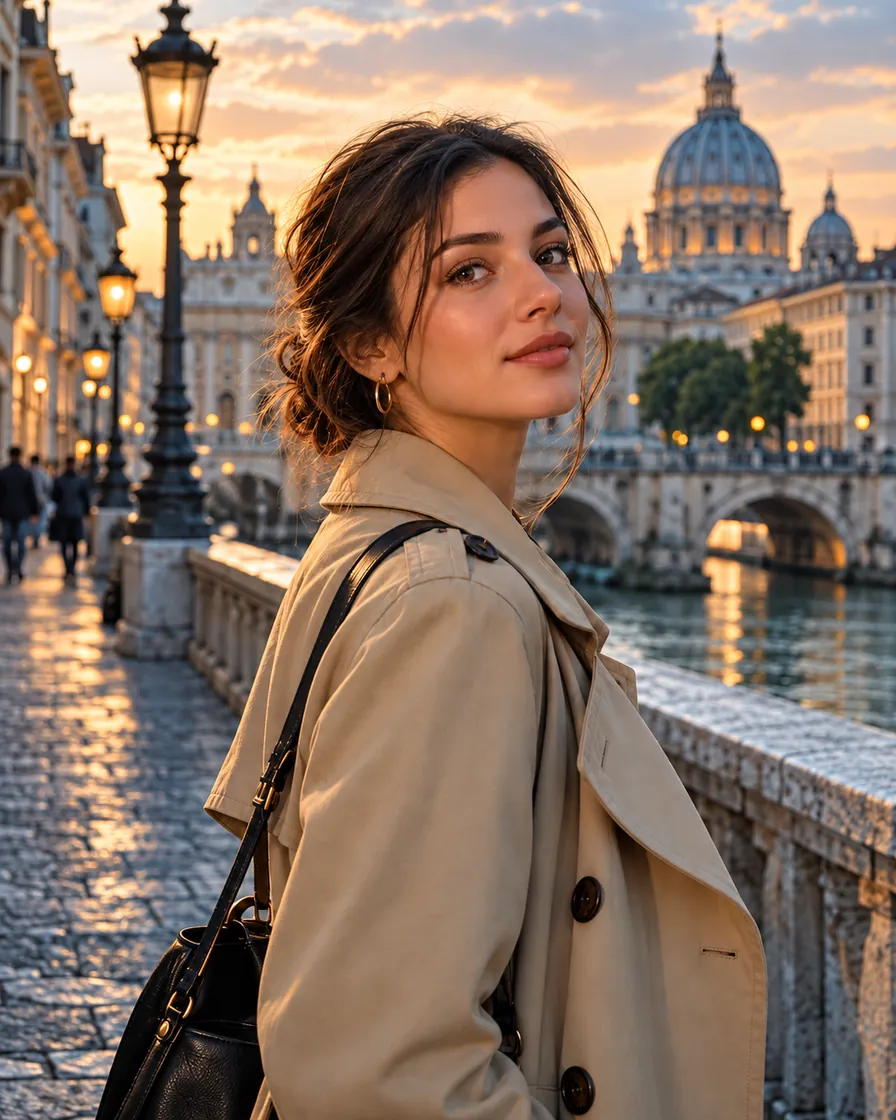
To tell if an image is AI generated, check the skin (no pores, even sheen), the light (no clear source), hands and text (wrong fingers, garbled letters), the background (melted or repeating), then look for content credentials or AI labels in the file. No single sign is proof, and detectors make mistakes in both directions.
Ten visual signs
Look at the picture at full size and go through the list. Two or three signs together are more telling than one.
- Skin with no pores or fine lines, and an even sheen.
- Light that glows from nowhere, or shadows that disagree with each other.
- Hands: extra or merged fingers, odd nails, jewellery melting into skin.
- Text: garbled letters on signs, labels and screens.
- Background: objects melting into each other, repeating patterns, impossible architecture.
- Symmetry: identical eyes, ears or earrings.
- Hair: strands that merge into the background or form a smooth mass.
- Colour: a strong teal-and-orange or golden grade across the whole picture.
- Reflections that do not match the scene.
- Context: an event or place that no other photo or source shows.
Check the file, not only the pixels
Some generators and cameras attach content credentials (C2PA) that record how a file was made; you can inspect them with a content-credentials viewer. Some platforms show an AI label based on this metadata.
Metadata is easy to strip, so its absence proves nothing. A reverse image search can show whether the picture existed earlier or comes from a known source.
Signs by type of image
The checks differ a little by subject. Use these with the general list above.
Portraits
Check the skin first, then the eyes (identical catchlights, perfectly round irises) and the hairline. An AI generated portrait often has ears and earrings that do not match the head angle.
Products and food
An AI generated product image tends to have glass and metal that shine like plastic, labels with garbled text, and food that looks varnished.
Places and interiors
Look for windows that do not line up, stairs that go nowhere, and a soft haze over the whole room. Signs and posters in an AI generated scene often carry almost-words.
News and events
Ask where the image came from first. If no reliable outlet or second photo shows the same moment, treat a dramatic image as unverified until you find its source.
About AI detectors
Detector tools give a probability, not a verdict. They can flag real, heavily edited photos as AI and miss AI pictures that were edited afterwards. Use them as one signal among several.
Why we make AI images look natural, and where we stop
Our Remove AI Look and AI image humanizer tools make generated pictures look natural for menus, websites and profiles. They are not built to evade detection and we do not claim they do.
If you publish an AI-edited picture, follow the labelling rules of the platform, and never use realistic AI pictures of real people without their consent.
FAQ
Is there a reliable way to tell if an image is AI generated?
No single method is reliable. Combine visual signs, content credentials, reverse image search and context.
What is the easiest sign to check?
Hands and text. Generators still make mistakes with fingers and lettering more often than with faces.
Do content credentials prove an image is real?
They record a file’s history when present. Their absence proves nothing, because metadata is easy to remove.
Can AIImageEditor.pro tell me if an image is AI generated?
No. Its tools edit images; none of them is an AI detector. Use the checks above instead: the visual signs, content credentials, a reverse image search and where the picture came from.
Remove the AI look from a photo
5 free credits when you sign in with Google. No watermark.
Remove the AI look from a photo