Skip to content

Make AI photo realistic

Make AI Photo Realistic:from AI render to camera shot

This is the strongest of the AI to Real tools. It keeps the subject, the pose and the layout of your picture and rebuilds it as a photograph: physical light, real materials and the behaviour of a real lens. Drawings, anime, game screenshots and 3D renders included.

5 credits an image · Anime, games, 3D · Nano Banana 2.1 · 2K · Same layout kept

Example/Anime to a real photo

PhotosJPG, PNG or WebP · up to 10 MB
577/2000

The instruction is filled in for you. Change it if you want something specific.

Model
Nano Banana 2.15 credits · ~30 s · 2KSet by this tool

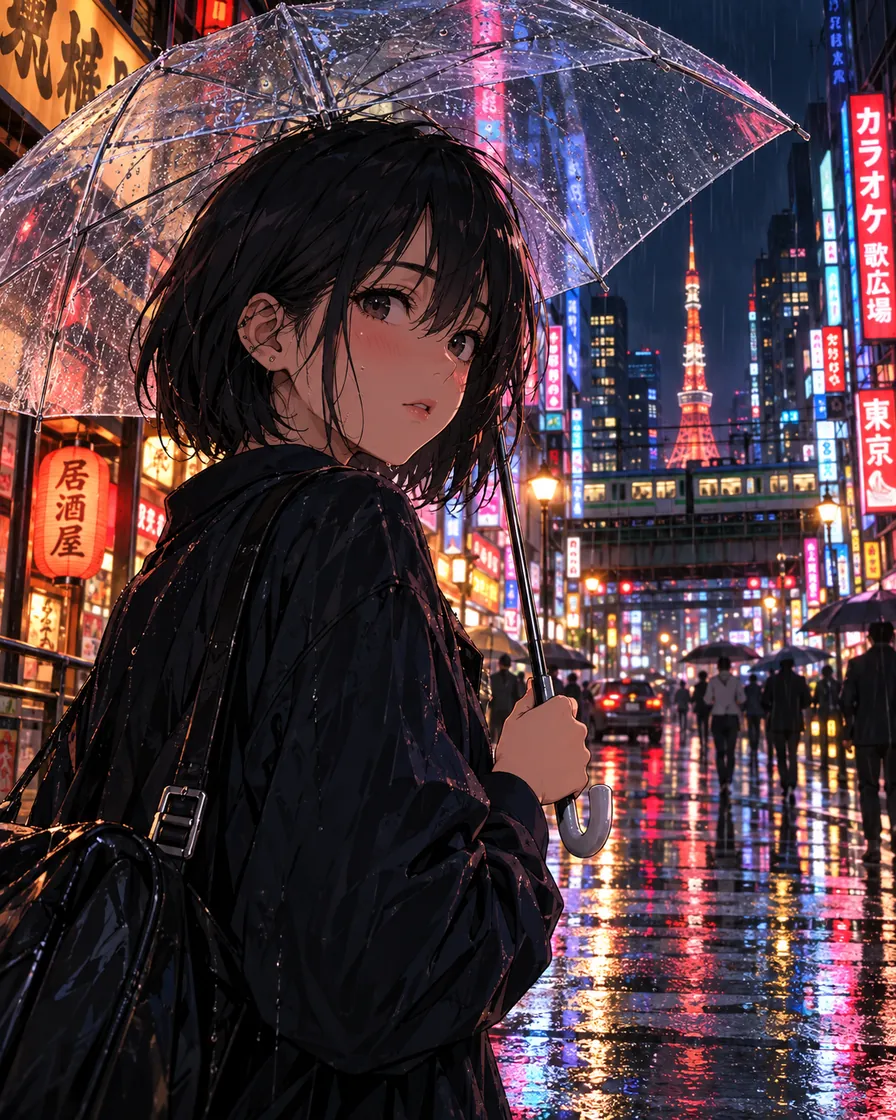
Anime illustration of a girl with a clear umbrella on a rainy Tokyo street
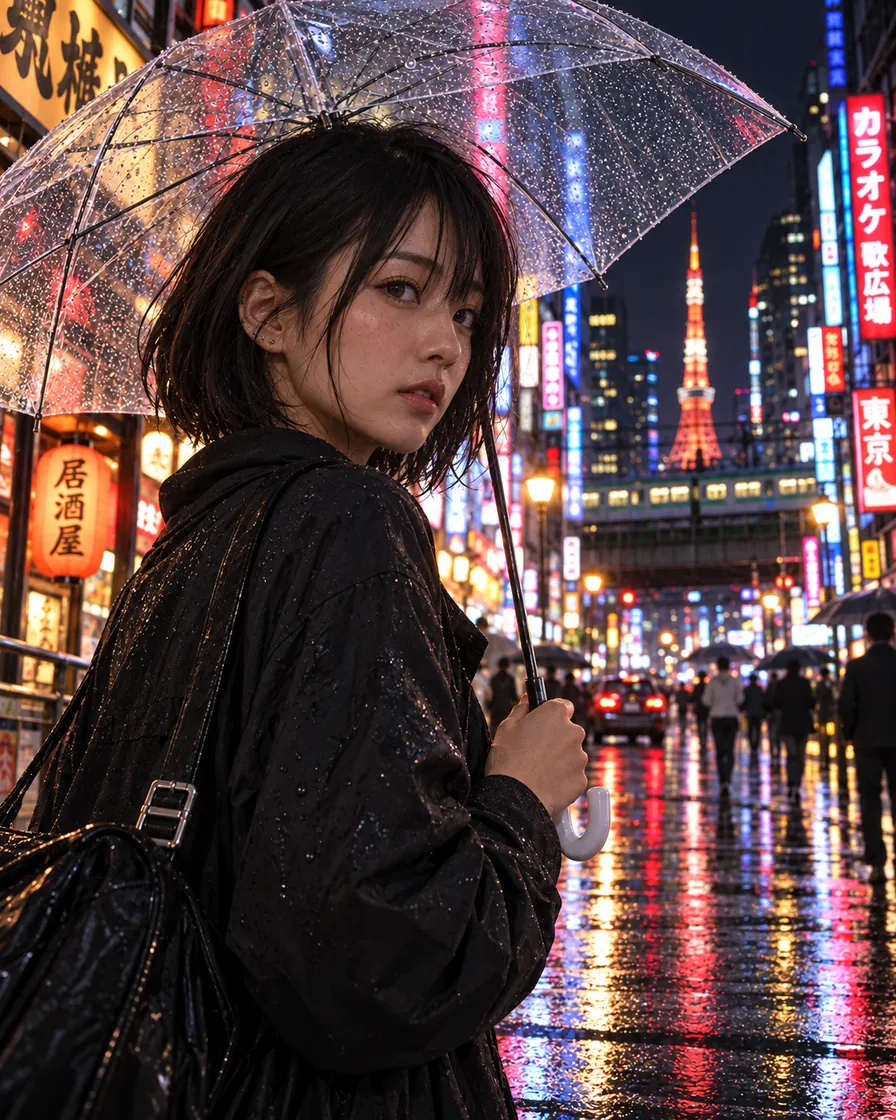
The same scene as a real photo of a young woman on a rainy Tokyo street at night
BeforeAfter
Try a sample

Drawings become photos

Anime, illustrations, game frames and 3D renders come back as camera shots.

Same scene and pose

The people, the outfit and the layout of the AI picture stay where they were.

2K on Nano Banana 2.1

One pass, about 30 seconds, 5 credits.

Credits come back

If making the AI photo realistic fails, its credits return to your balance.

What does "make an AI photo realistic" do?

To make an AI photo realistic is to convert a generated or drawn picture into one that looks taken with a camera, while the scene stays recognisable. Unlike a light fix, it changes the rendering of everything: skin, fabric, stone and glass get real texture, and the light follows one clear source.

On AIImageEditor.pro the tool runs Nano Banana 2.1 at 2K with an instruction built around what makes a photo read as real: a main light with the shadows it would cast, materials you could touch, depth of field, slight vignetting and fine grain. The same subject, pose, composition and scene are kept.

Because it changes the style on purpose, use it for illustrations, anime, game screenshots and CGI. If your picture is already photographic and only looks too smooth, the AI Image Humanizer or Remove AI Look changes less.
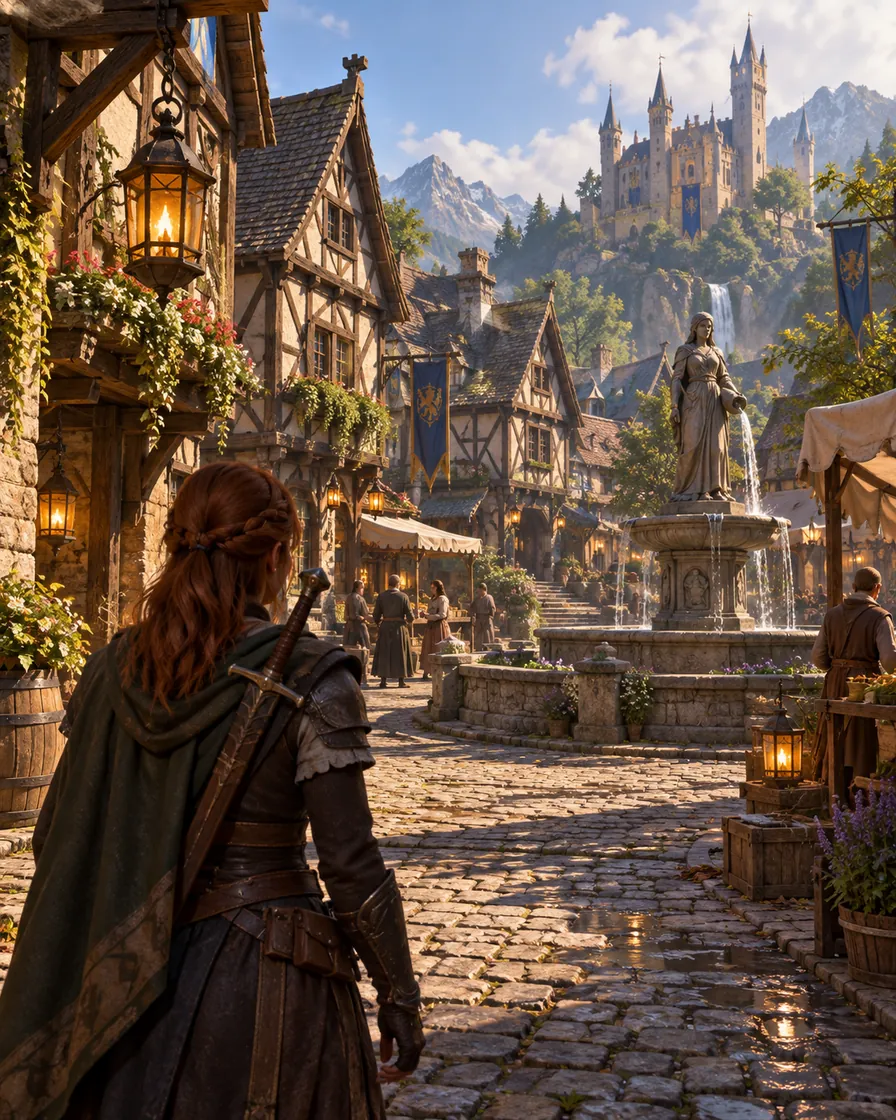
3D fantasy game screenshot of a medieval village street
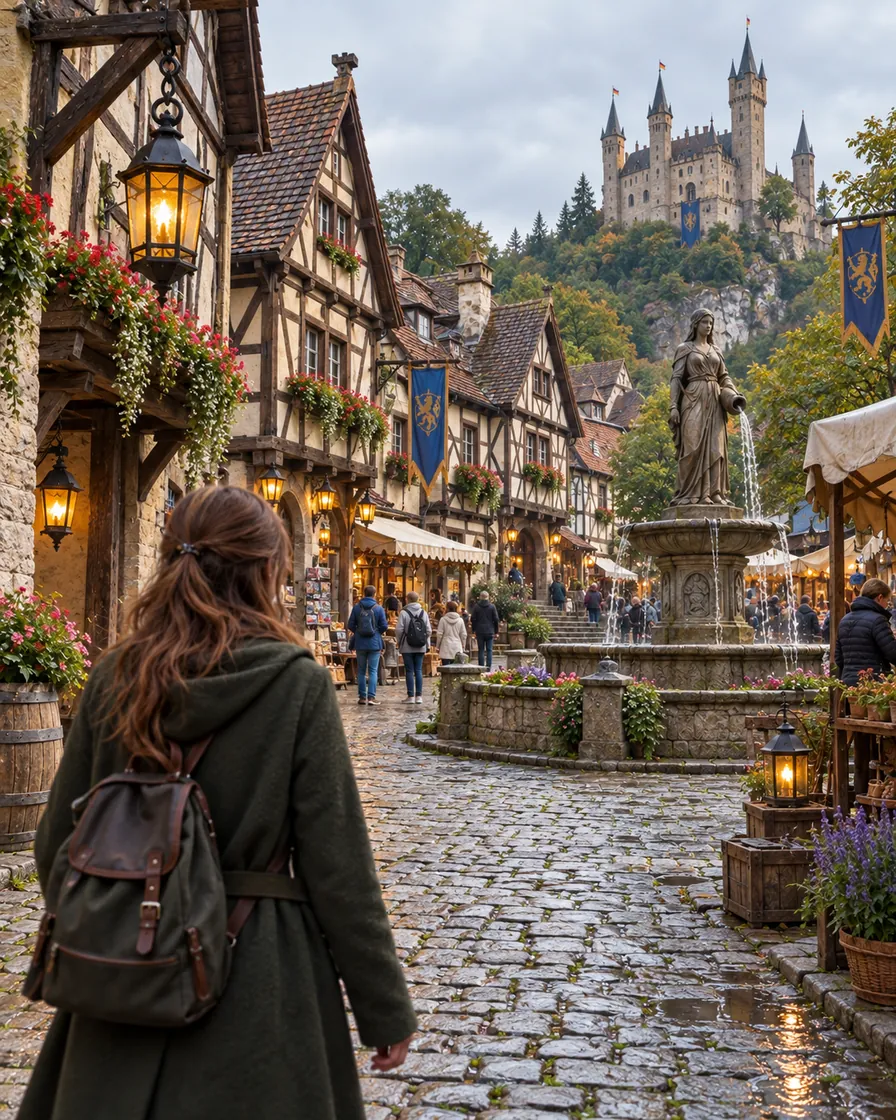
The same village layout as a real photo of an old European street
BeforeAfter
AI-generated bakery owner with airbrushed skin and a rim light from nowhereThe same baker humanized: real skin and plain bakery light
BeforeAfter

AI look in.Real photo out.

The humanizer re-shoots an AI picture the way a phone would: real skin, ordinary light, the same person.

Try the humanizer

Make AI photos realistic: four conversions

Each pair is one run with the default instruction. The layout stays; the rendering becomes photographic. Drag the handle to compare.

Anime illustration of a girl with a clear umbrella on a rainy Tokyo street
The same scene as a real photo of a young woman on a rainy Tokyo street at night
BeforeAfter

Anime to a real photo

An AI-generated anime girl with a clear umbrella on a rainy Tokyo street becomes a real young woman in the same pose, with real rain on the umbrella, reflections in the wet street and the neon signs where they were.

  • Anime
  • People
3D fantasy game screenshot of a medieval village street
The same village layout as a real photo of an old European street
BeforeAfter

A game screenshot to a real street

An AI-generated fantasy village in 3D game style becomes an old European street with the same half-timbered houses, fountain and lanterns, now in stone and wood you could touch.

  • Games
  • Places
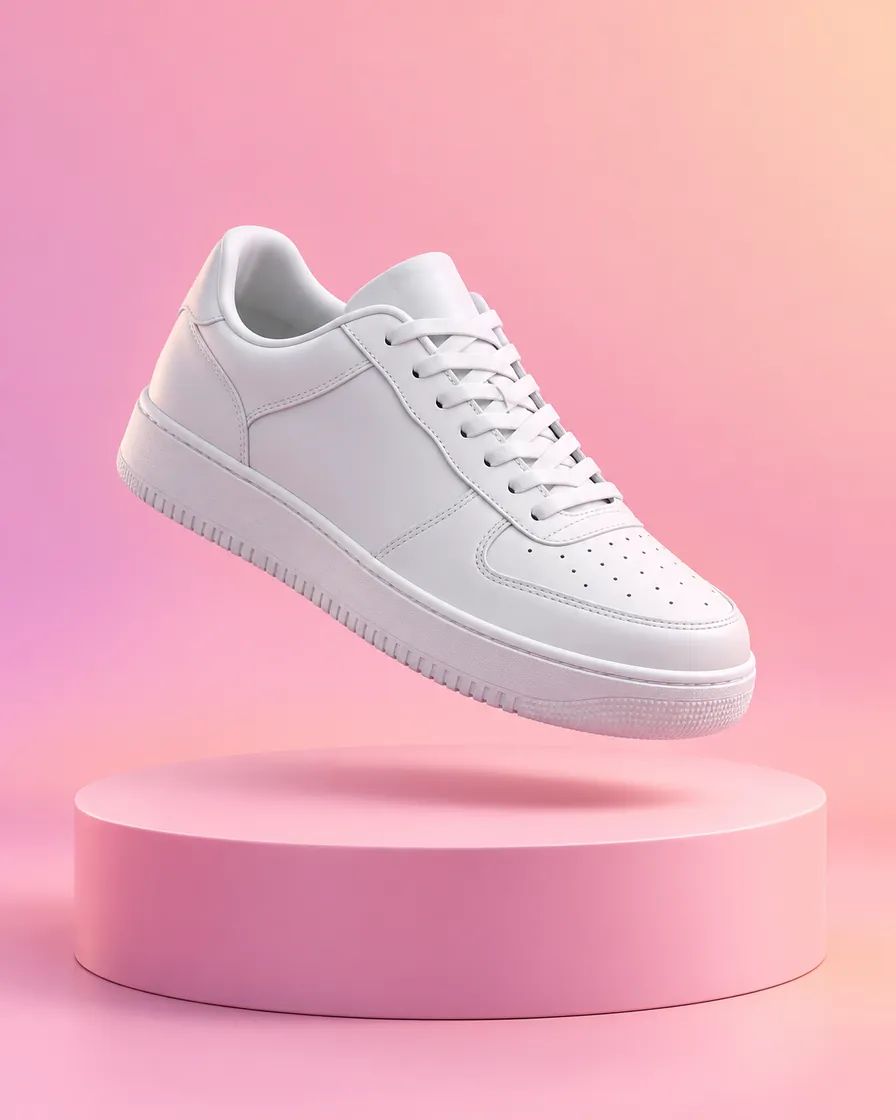
Clean 3D render of a white sneaker above a pastel podium
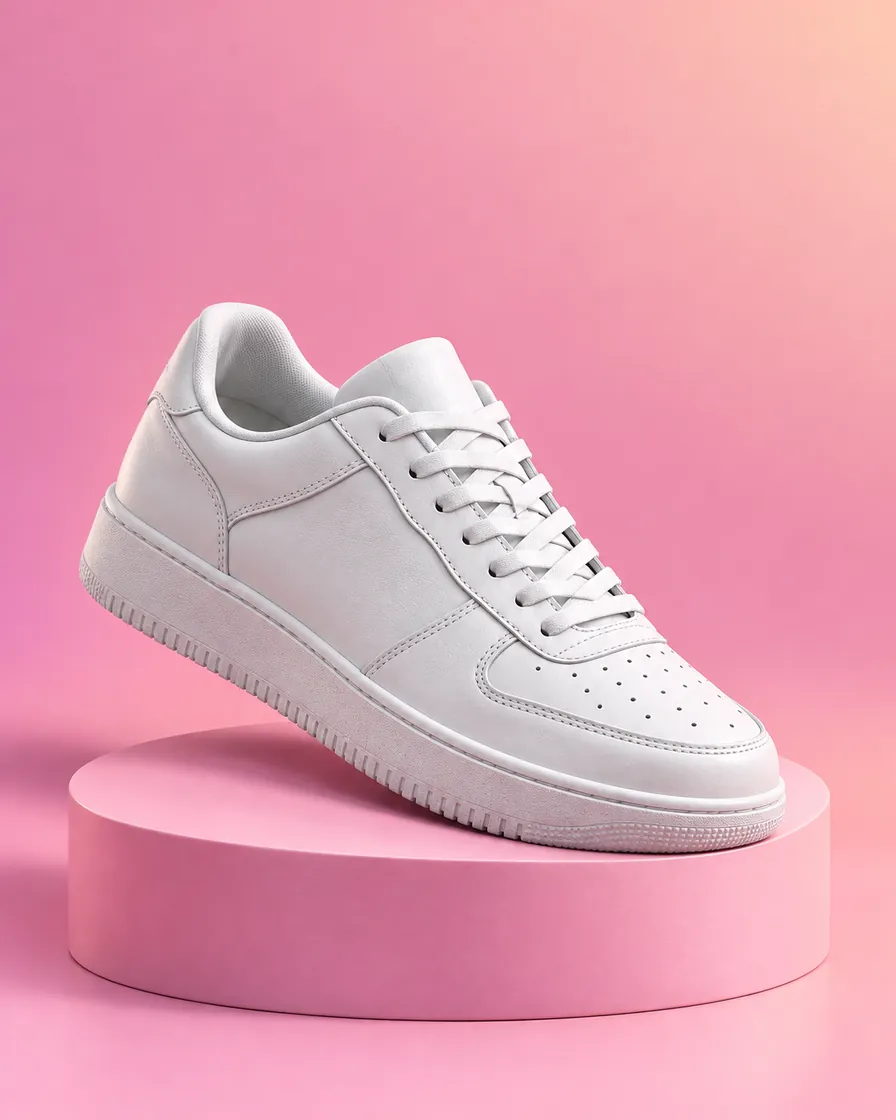
The same sneaker as a real product photo on a painted plinth
BeforeAfter

A 3D render to a product photo

A floating AI-generated CGI sneaker becomes a product photograph on a painted plinth, with leather grain, mesh, stitching, a little dust and the shadow of one softbox.

  • Products
  • 3D
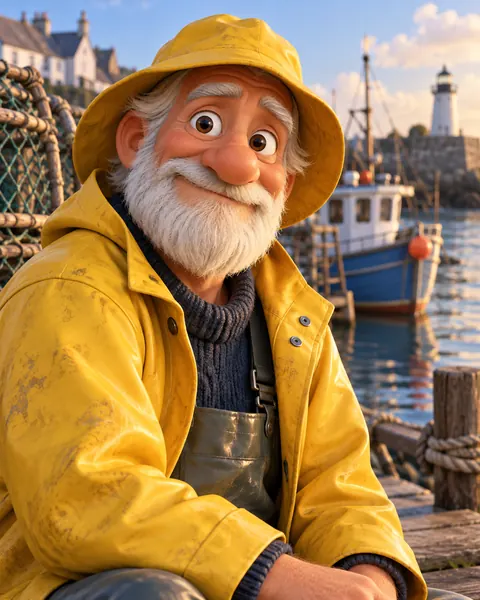
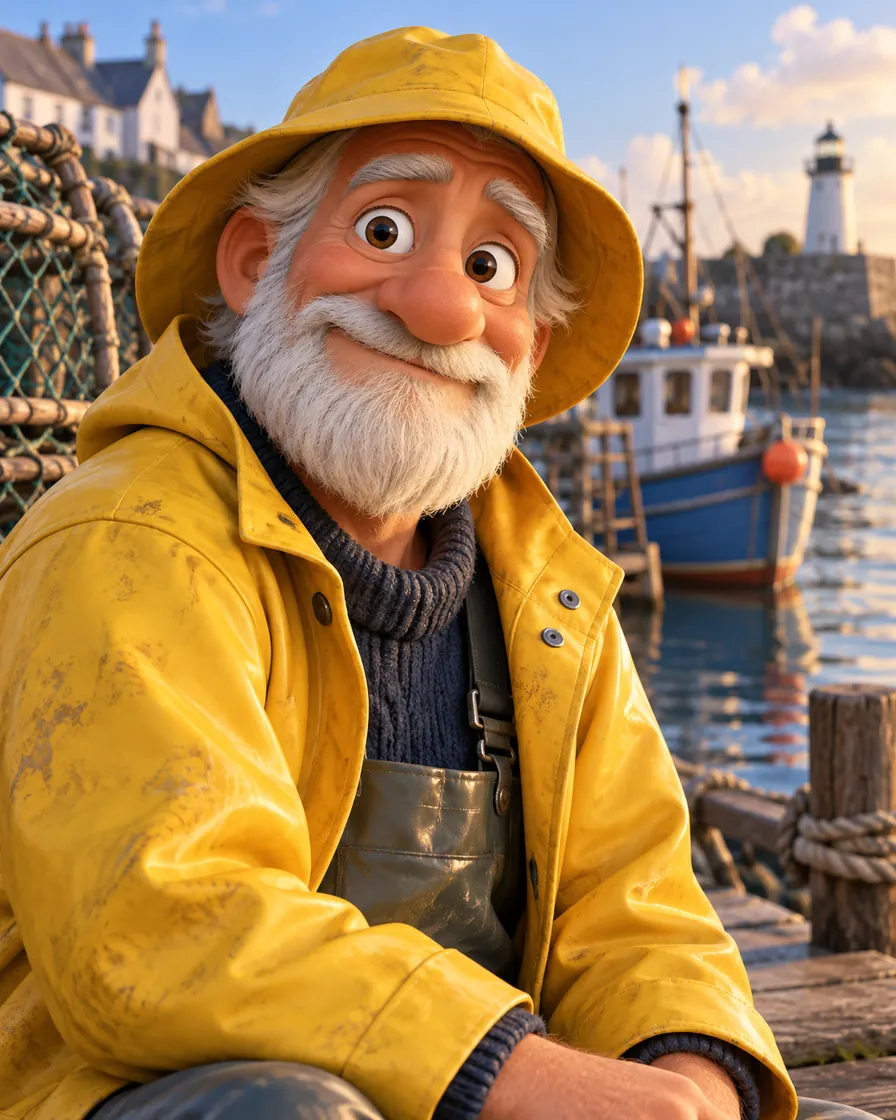
3D cartoon character of an old fisherman in a yellow raincoat
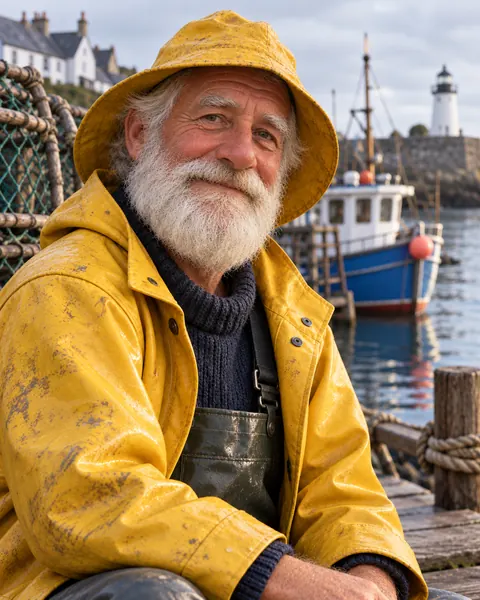
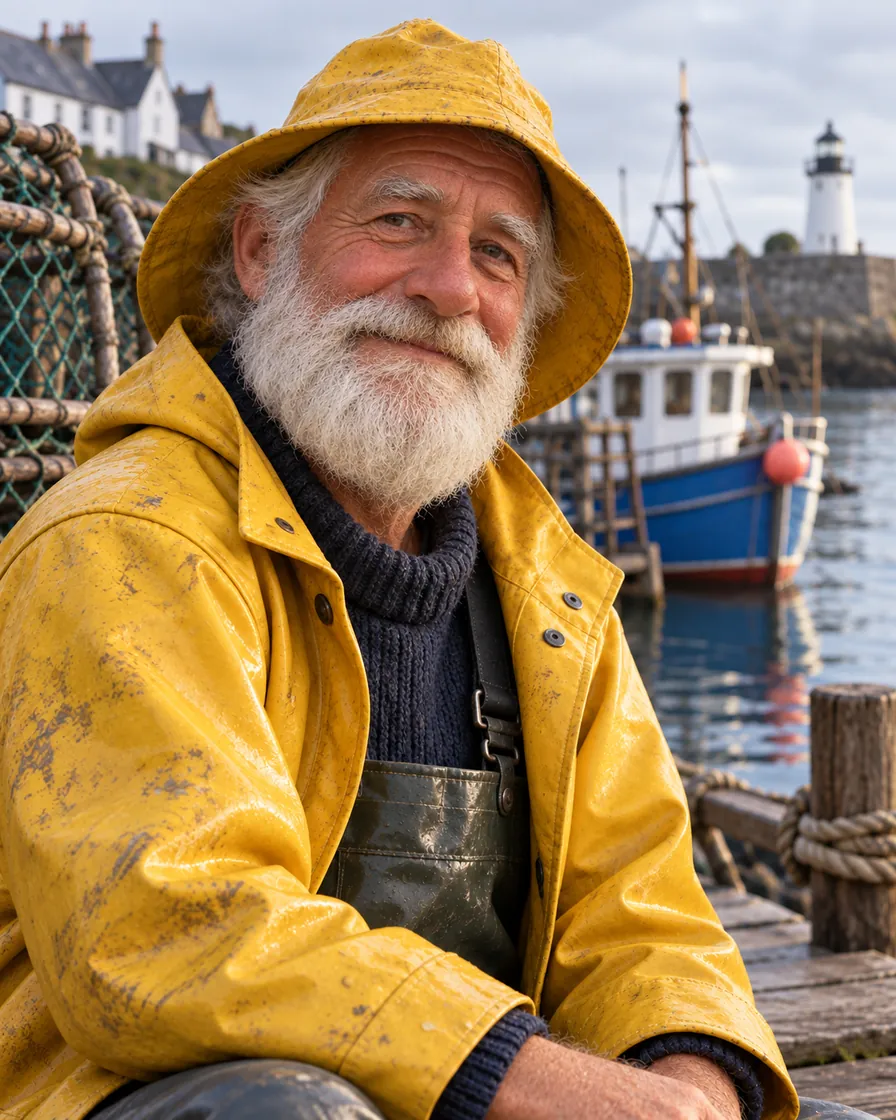
The same fisherman as a real photo on an overcast harbour
BeforeAfter

A cartoon character to a real person

An AI-generated animated-movie fisherman becomes a real man with the same white beard and yellow raincoat, weathered skin and the flat light of an overcast harbour.

  • Characters
  • People

What makes a photo look realistic

These are the cues the tool adds when it makes an AI photo realistic.

One clear light source

Shadows, highlights and falloff that agree with a sun, a window or a lamp, instead of light from everywhere.

Real materials

Pores on skin, weave in fabric, grain in wood, chips in paint, scratches on glass.

Lens behaviour

Natural depth of field, slight vignetting and fine grain, the marks of an actual camera.

Everyday detail

Backgrounds filled with the small clutter of real places rather than the clean, empty surfaces of AI images.

Believable colour

Colour that a camera records, not the saturated palette of an AI render.

Human proportions

AI characters get real faces, eyes and hands at real scale, while keeping their look.

How to make an AI photo realistic

  1. 01

    Upload the AI picture

    An illustration, anime frame, game screenshot or render: JPG, PNG or WebP, up to 10 MB.

  2. 02

    Refine the instruction

    The conversion instruction is ready. Add the details you care about: "she is in her twenties", "overcast light", "keep the red umbrella".

  3. 03

    Download the photo

    About 30 seconds later the realistic version appears beside the original at 2K.

When you need to make an AI photo realistic

Concept to mock-up

Turn an AI concept image into what a product, interior or campaign would look like as a photo, before anything is built.

Game and film fans

See a favourite character or level as if it had been photographed in the real world.

E-commerce previews

Turn an AI render or a 3D model of a product into a lifelike photo for a pre-order page.

Storyboards

Make drawn frames photographic to test how a scene would really look.

Limits of making an AI photo realistic

  • A converted AI character becomes a believable person who looks like the drawing, not a specific real person.
  • Do not use it to create realistic pictures of real people without their consent.
  • Fine text, logos and small props can change. Name them in the instruction if they matter.
  • It does not claim to defeat AI detectors.

Make AI photo realistic FAQ

How do I make an AI photo look like a real picture?

Upload it here and press the button: the tool rebuilds the light, materials and lens behaviour as a camera would have recorded them. One run costs 5 credits, and new accounts get 5 free.

Can it turn anime or a drawing into a real photo?

Yes. Illustrations and anime become photos of real people and places in the same pose and layout, which is the main job of this tool.

Does it work with game screenshots and 3D renders?

Yes. Game levels become real streets and landscapes, and product renders become product photos with real materials and shadows.

What is the difference from removing the AI look?

Remove AI Look only fixes the tells on a picture that is already photographic. Make AI Photo Realistic converts the whole rendering, so it is the right choice for drawings and CGI.

Why not just ask the AI generator for photorealism?

Asking again gives you a different picture. This tool keeps your exact scene, pose and composition and changes only how it is rendered.

What resolution will the realistic photo be?

2K, in the aspect ratio of your AI picture, with no watermark.

Is my upload kept?

Uploaded pictures are deleted after 7 days. Results stay in My images until you delete them.

AIImageEditor.pro · Last updated

Make your AI photo realistic

Start with 5 free credits and see your render as a photograph.

Make it realistic
  • 5 credits an image
  • Anime, games, 3D
  • Nano Banana 2.1 · 2K