Skip to content

AI image humanizer

AI Image Humanizer:AI pictures that pass for phone photos

Upload an image from Midjourney, ChatGPT, Gemini or any generator. The AI image humanizer keeps the person, the pose and the scene, and re-renders the skin, the light and the colour the way a phone camera would have caught them.

5 credits an image · Nano Banana 2.1 · 2K · Face and pose kept · Any AI generator

Example/A small-business "about us" photo

PhotosJPG, PNG or WebP · up to 10 MB
727/2000

The instruction is filled in for you. Change it if you want something specific.

Model
Nano Banana 2.15 credits · ~30 s · 2KSet by this tool

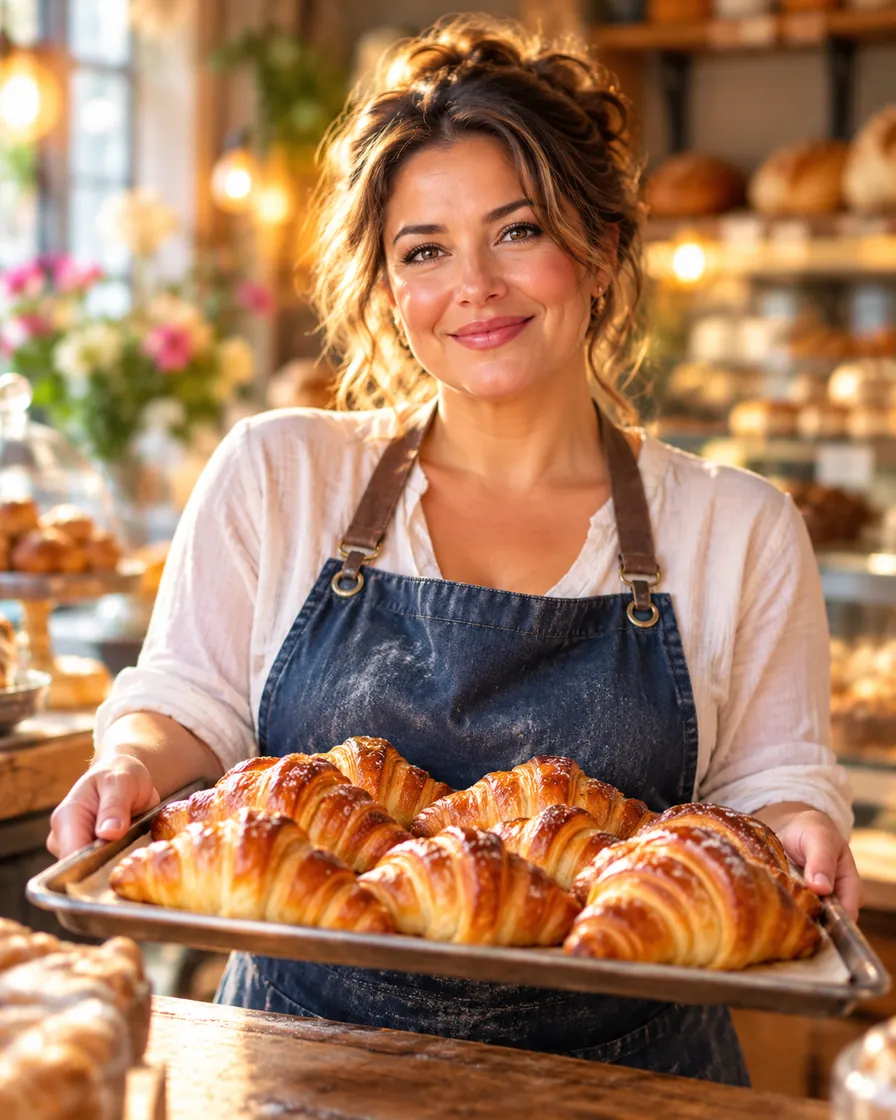
AI-generated bakery owner with airbrushed skin and a rim light from nowhere
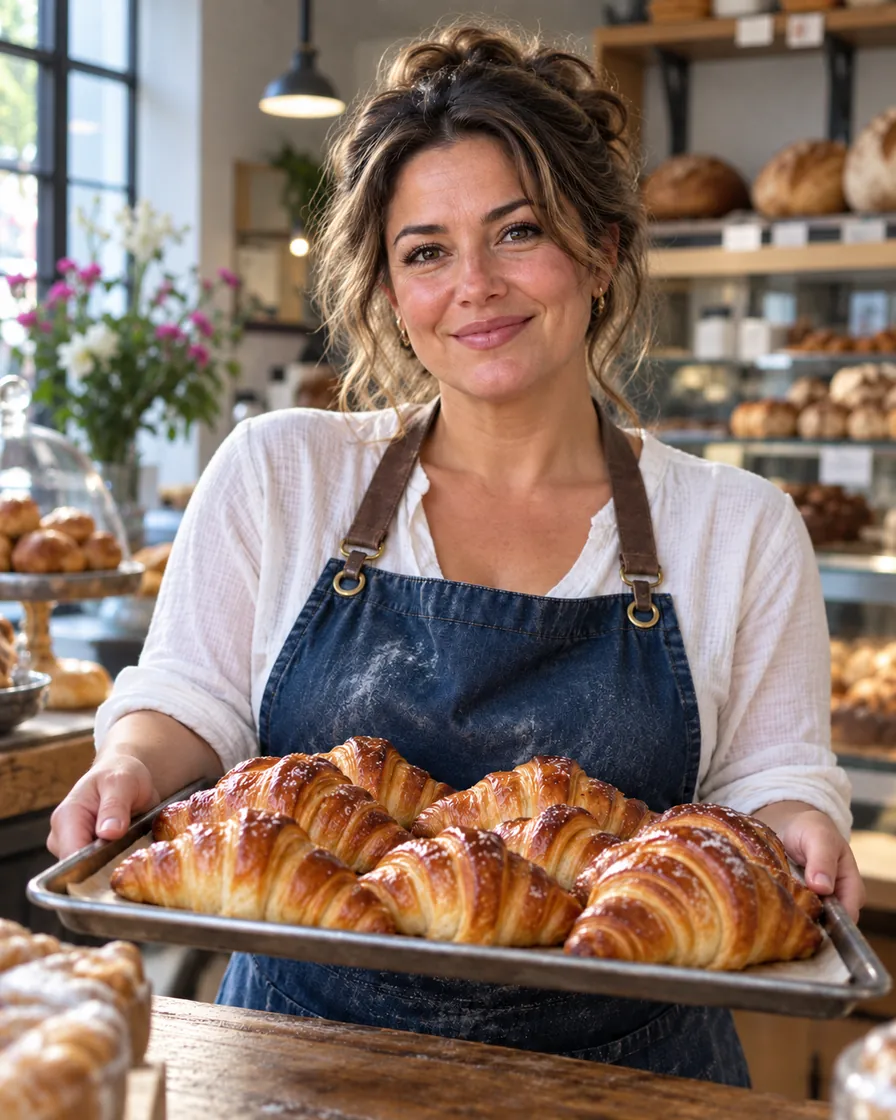
The same baker humanized: real skin and plain bakery light
BeforeAfter
Try a sample

Instruction written for you

The AI image humanizer fills in its own instruction. Change it if one detail matters.

Same person, same scene

Identity, clothes, framing and any text stay; only the AI-made surface is redone.

2K on Nano Banana 2.1

One pass, about 30 seconds, 5 credits.

Credits come back

If a pass fails, its credits return to your balance.

What is an AI image humanizer?

An AI image humanizer is a tool that takes a picture made by an image generator and makes it read as an ordinary photograph, without changing who or what is in it. It removes the giveaways people notice in a second: skin with no pores, light that comes from nowhere, colours turned up too far and a background that melts into blur.

The AI image humanizer on AIImageEditor.pro runs your image through Nano Banana 2.1 at 2K with a written instruction: keep the subject, the identity, the clothes, the framing and any text; change only the surface that looks generated. You can read and edit that instruction before you start.

It works on people, pets, food and objects. If the image is an illustration, anime or a 3D render, the humanizer keeps that style and only takes away the generated sheen; to turn a drawing into a photo, use Make AI Photo Realistic instead.
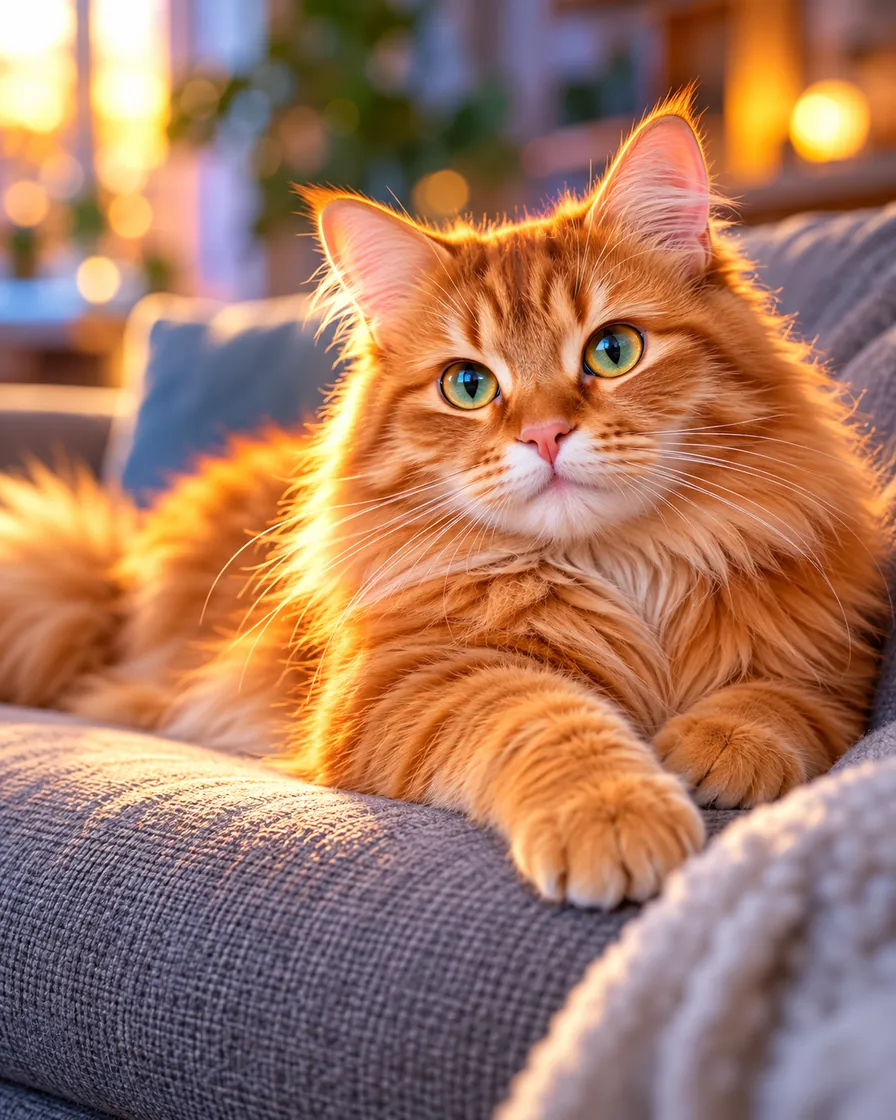
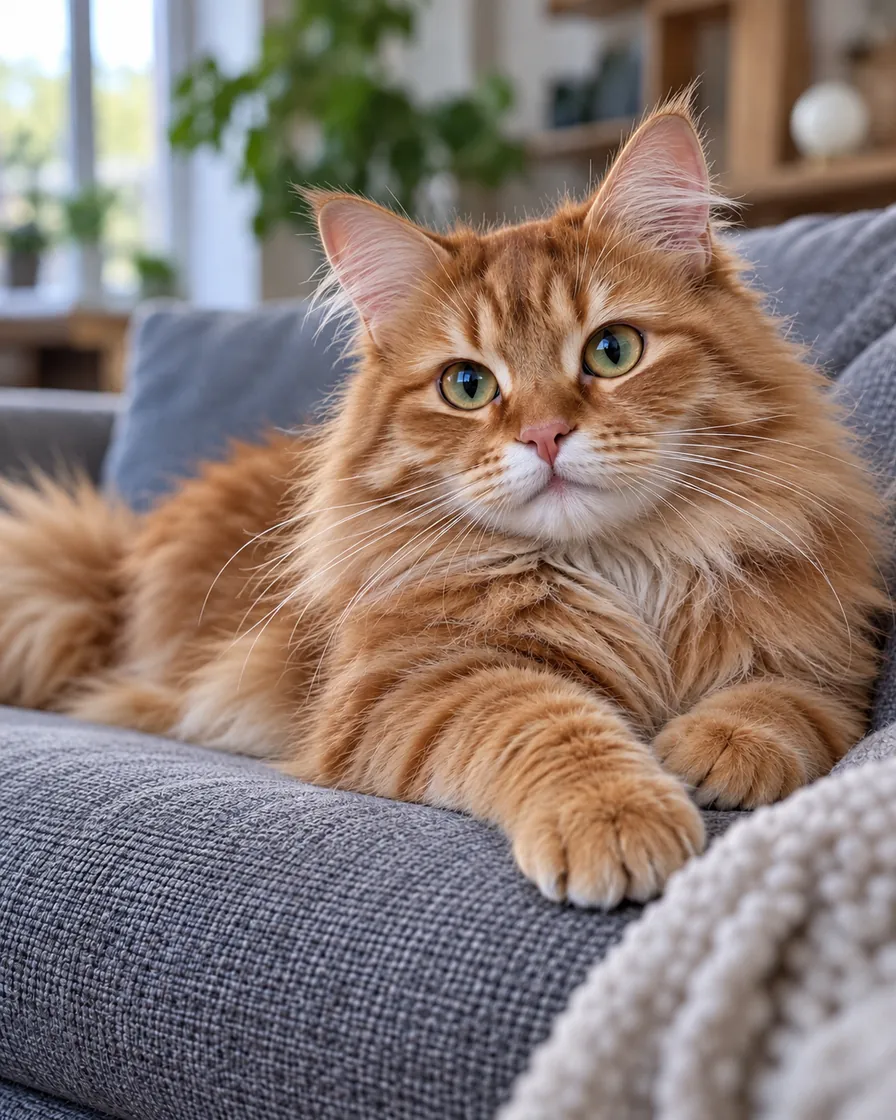
AI-generated ginger cat with glossy painted fur and glowing eyes
The same cat humanized: matte, uneven fur and normal daylight
BeforeAfter
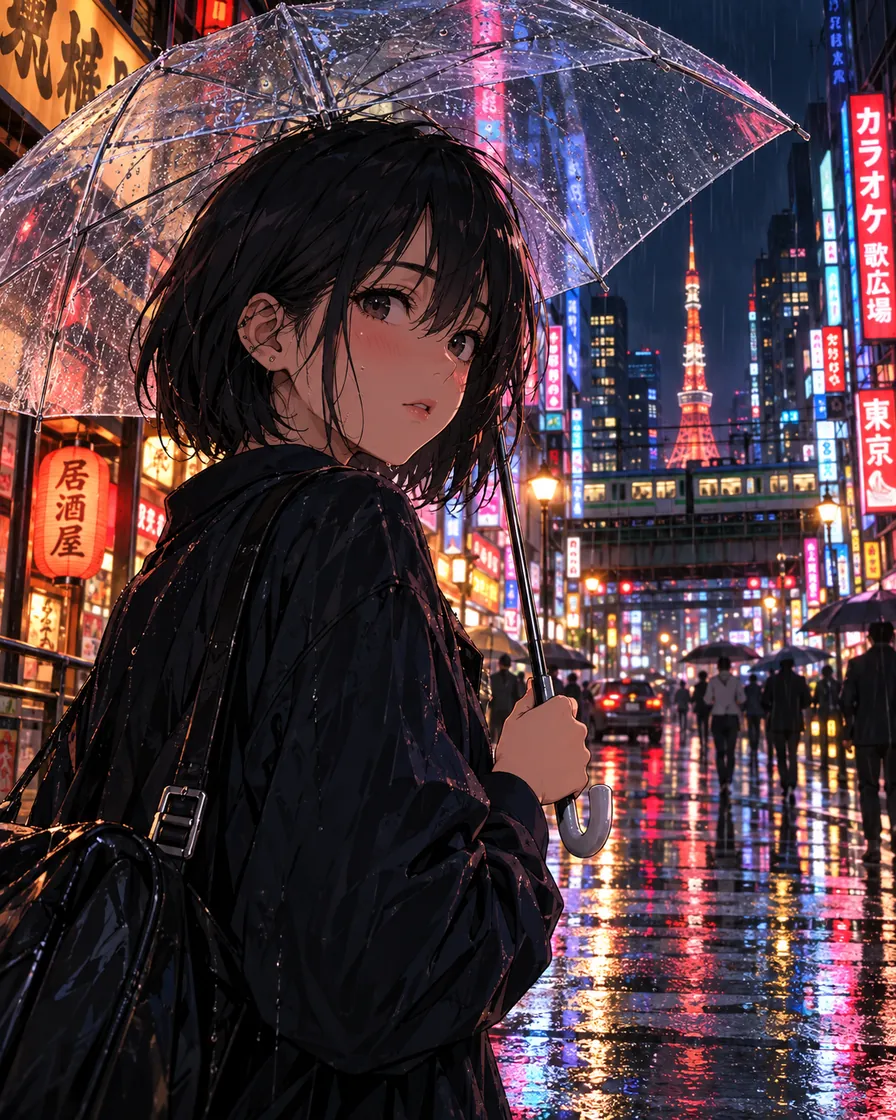
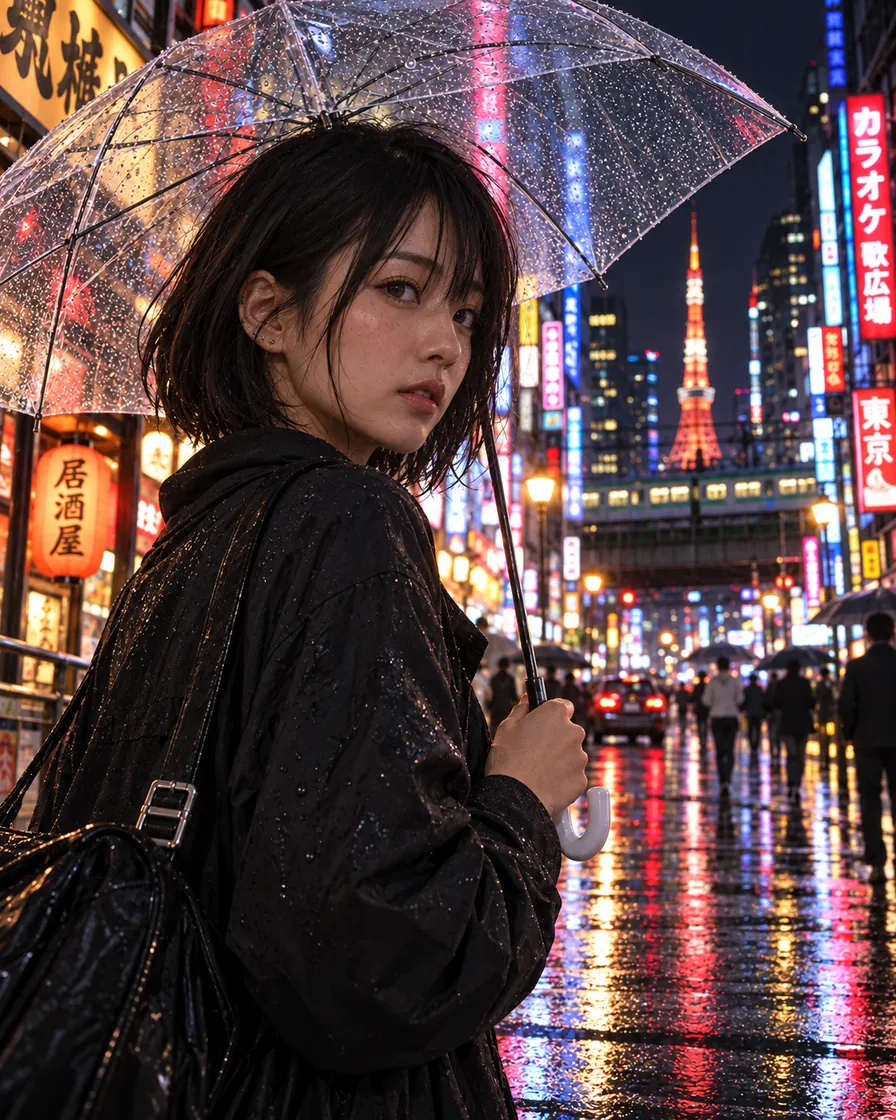
Anime illustration of a girl with a clear umbrella on a rainy Tokyo streetThe same scene as a real photo of a young woman on a rainy Tokyo street at night
BeforeAfter

AI look in.Real photo out.

AI anime, 3D and game art re-shot as real photos, with the same scene and people.

Make it realistic

AI image humanizer examples: four everyday pictures

Each pair is one pass of the AI image humanizer with the default instruction, not retouched afterwards. Drag the handle to compare.

AI-generated bakery owner with airbrushed skin and a rim light from nowhere
The same baker humanized: real skin and plain bakery light
BeforeAfter

A small-business "about us" photo

A generated portrait of a bakery owner had airbrushed skin and a golden rim light no bakery has. After the humanizer pass she has real skin, fine lines and the flat ceiling light of a shop, so the photo can sit on a website next to real staff pictures.

  • People
  • Website
AI-generated ginger cat with glossy painted fur and glowing eyes
The same cat humanized: matte, uneven fur and normal daylight
BeforeAfter

A pet photo that looks taken at home

AI fur looks painted: every strand glossy, eyes that glow. The AI image humanizer gives the cat matte, uneven fur and ordinary living-room daylight while the pose and the sofa stay put.

  • Pets
  • Fur
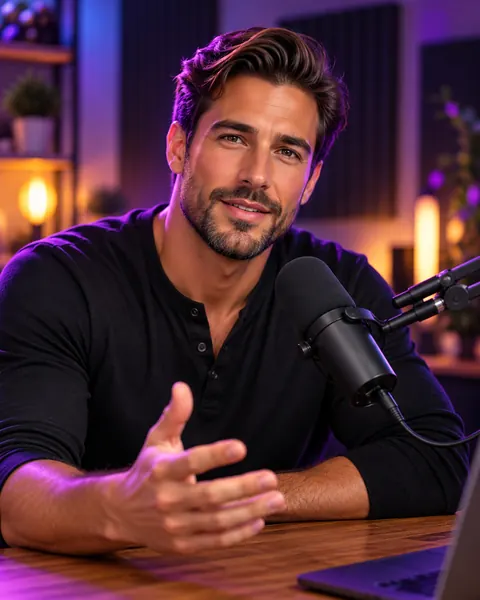
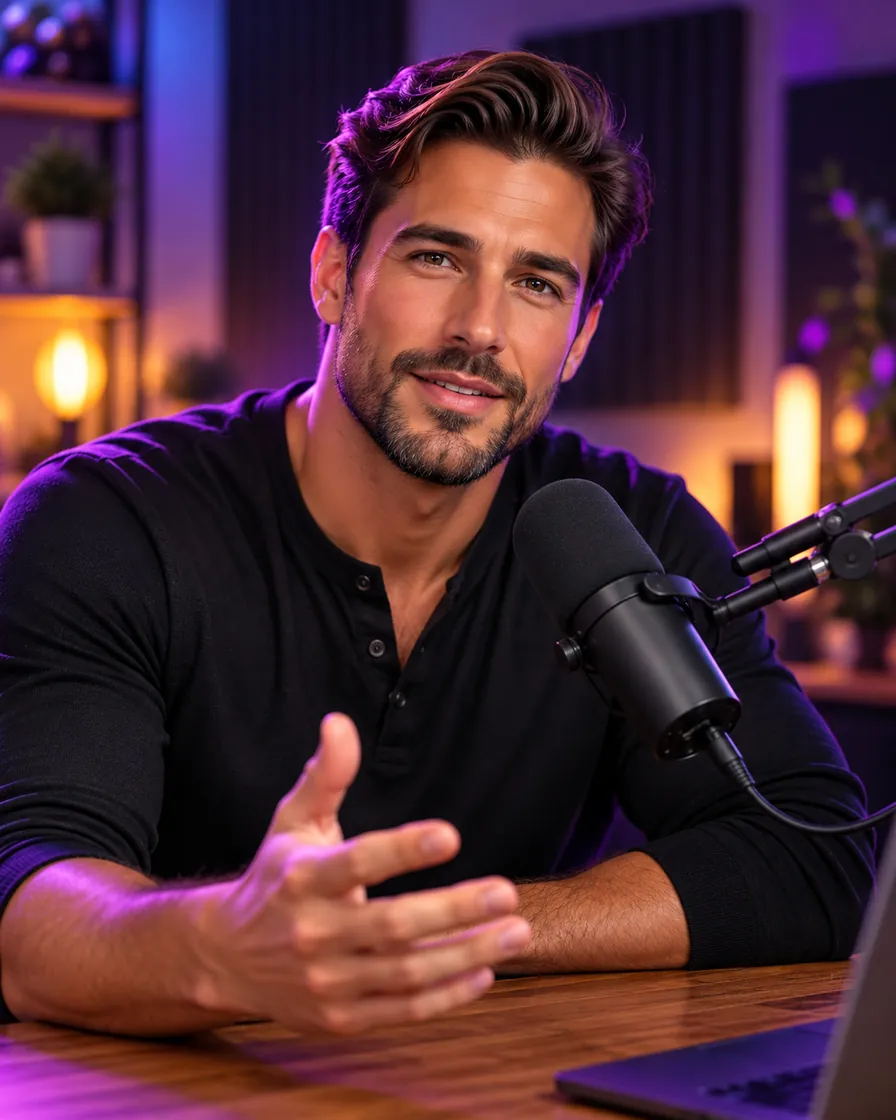
AI-generated podcast host with plastic skin and a purple neon rim light
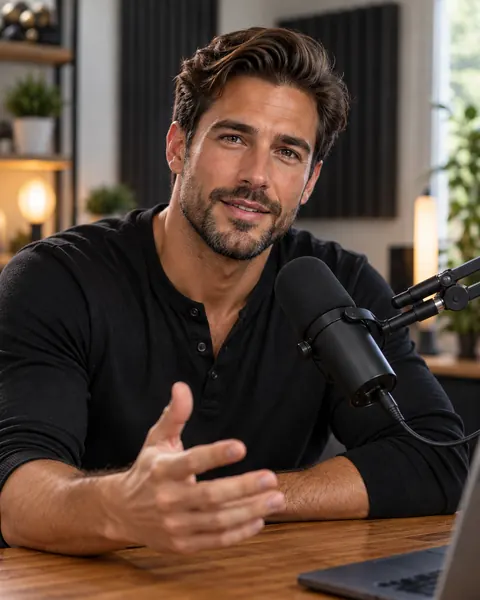
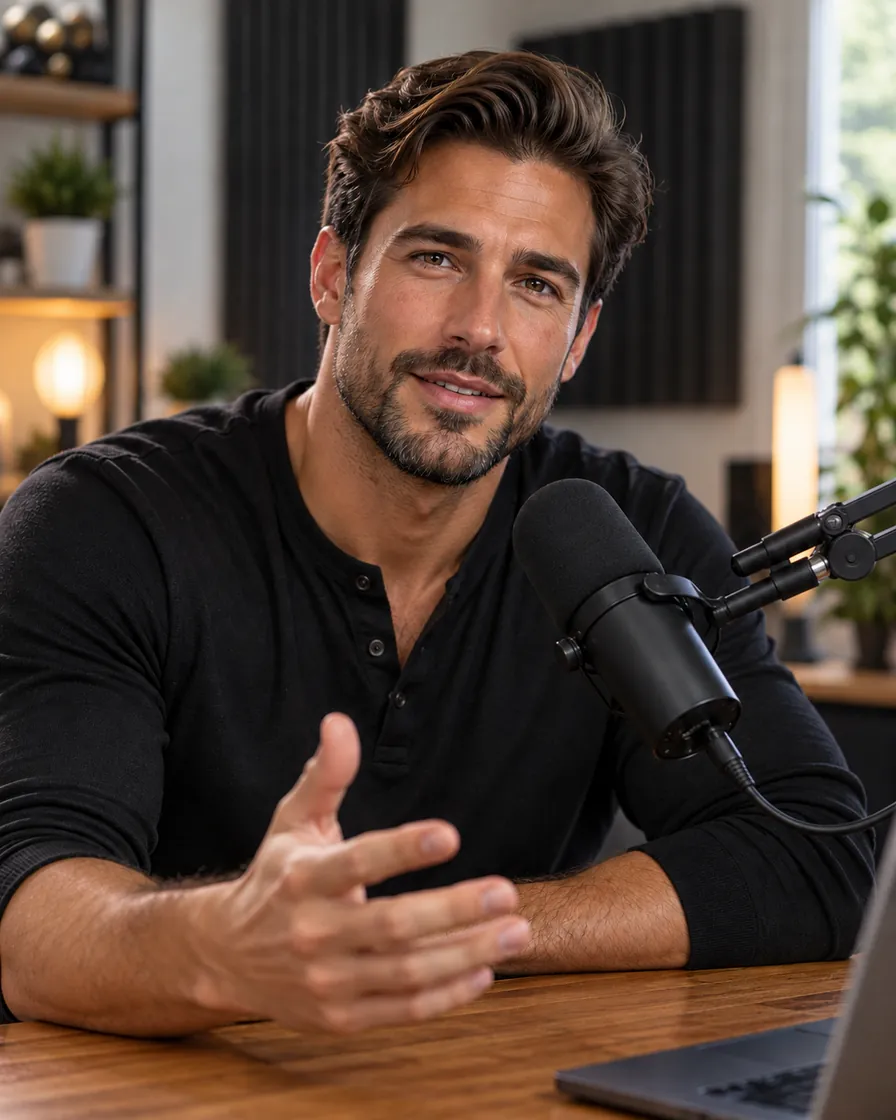
The same host humanized: real skin and stubble, lit by a desk lamp and window
BeforeAfter

A creator portrait without the neon look

A purple neon rim light and plastic skin make a podcast cover look generated. The humanizer swaps the neon for a desk lamp and a window and brings back stubble and skin texture.

  • Creators
  • Lighting
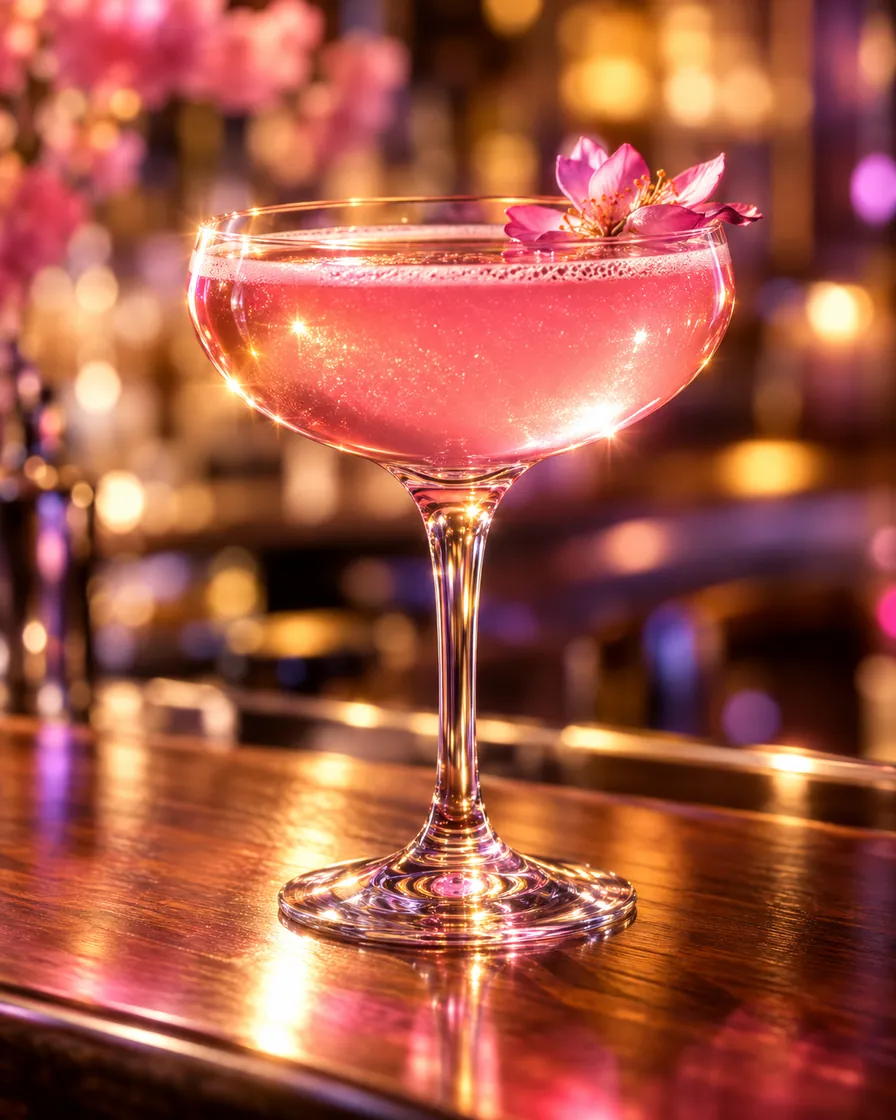
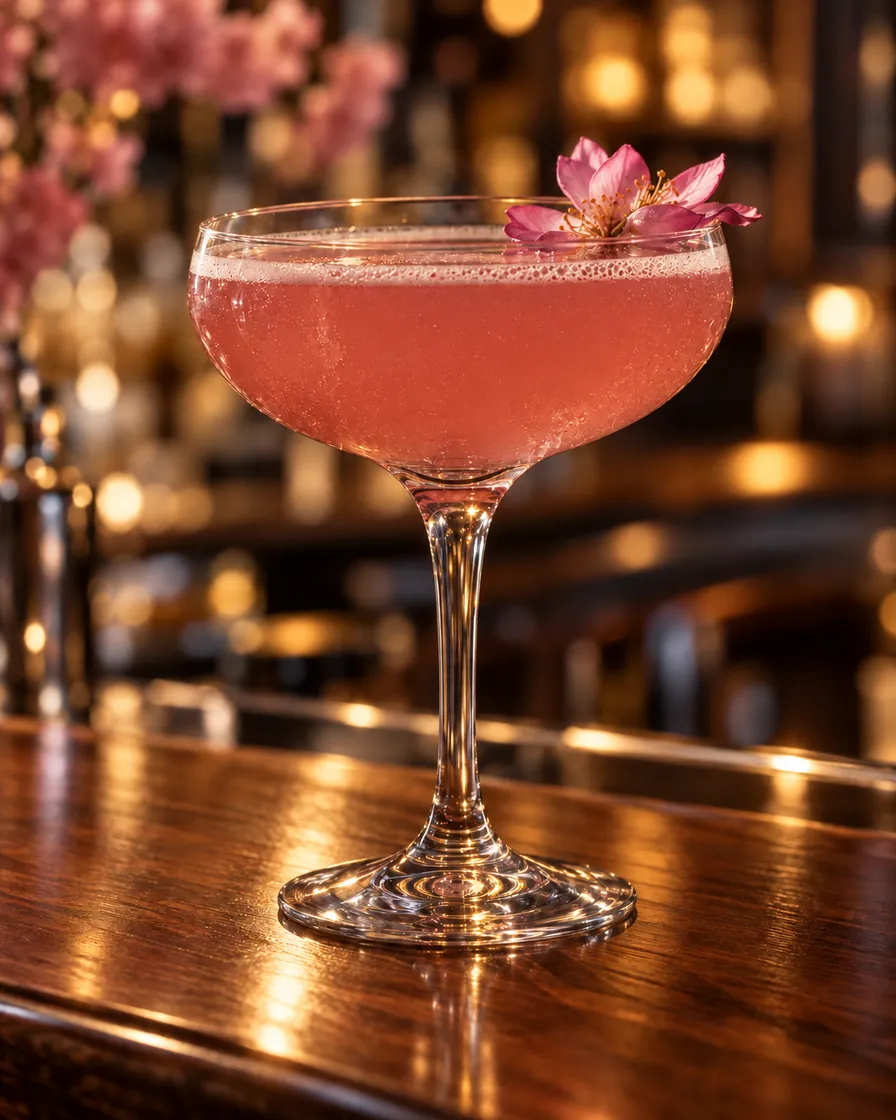
AI-generated pink cocktail with impossibly glossy glass and sparkles
The same cocktail humanized: real reflections, condensation and plain bar light
BeforeAfter

A menu photo of a real drink

Generated drinks shine like plastic and sparkle. After the pass the glass has real reflections and condensation, the cocktail is matte, and the bar light is plain enough for a menu.

  • Food & drink
  • Menu

What the AI image humanizer changes, and what it keeps

Changes

Skin

Waxy, poreless skin becomes real skin with pores, fine lines and small unevenness for the person’s age.

Changes

Light

Glow and rim light with no source are replaced by light that matches the lamps and windows in the scene.

Changes

Colour

Over-saturated, too-clean colour comes back to what a phone records, with a little noise.

Changes

Depth

A background melted into blur gets the soft but readable depth of a phone camera.

Keeps

Identity and pose

The face, the expression, the pose and the clothes are kept as they are.

Keeps

Composition and text

Framing, background layout, logos and any text in the picture are kept.

How to humanize an AI image

  1. 01

    Upload the AI image

    One image, JPG, PNG or WebP, up to 10 MB, from any generator.

  2. 02

    Check the instruction

    The humanizer instruction is filled in. Add a detail if you want one, such as "keep the freckles" or "make it an overcast day".

  3. 03

    Download the humanized photo

    About 30 seconds later the result appears beside the original at 2K. Download it or run another pass.

AI image humanizer vs re-prompting vs manual retouching

Keeps the same person and pose

AI image humanizer
Yes
Re-prompting the generator
No, you get a new image
Manual retouching
Yes

Time

AI image humanizer
About 30 seconds
Re-prompting the generator
Many tries
Manual retouching
An hour or more

Skill needed

AI image humanizer
None
Re-prompting the generator
Prompt writing
Manual retouching
Photoshop and retouching

Cost

AI image humanizer
5 credits
Re-prompting the generator
Your generator plan
Manual retouching
Software plus time

What the AI image humanizer will not do

  • It does not promise to fool AI detectors, and it is not made for that. It makes a picture look like an ordinary photo to people.
  • Hands, jewellery and small text can shift slightly. Check the details before you publish.
  • It is not a face swap: the person stays the person in your image.
  • Upload only images you made or have permission to edit, and label edited pictures where the platform asks you to.

AI image humanizer FAQ

Is the AI image humanizer free?

Your first image is: signing in with Google adds 5 credits and one humanizer pass costs 5. After that, credits start at $14.90 for 500.

Which AI generators does it work with?

Any. Midjourney, ChatGPT and GPT Image, Gemini and Nano Banana, Flux, Stable Diffusion and Grok images all work, as do real photos ruined by heavy filters.

Will it change my face or the composition?

No. The instruction tells the model to keep the identity, expression, pose, clothes and framing. If a detail moves, add "keep … exactly" to the instruction and run it again.

What resolution do I get?

2K from Nano Banana 2.1, in the aspect ratio of your image. Download it without a watermark.

Does it make AI images undetectable?

It is not designed to beat AI detectors and we do not claim it does. Use it to make pictures look natural, and follow each platform’s rules on labelling AI content.

How is it different from Remove AI Look and Make AI Photo Realistic?

The humanizer is an all-round "shot on a phone" pass that keeps the style. Remove AI Look fixes only the tells and leaves everything else untouched. Make AI Photo Realistic turns illustrations, games and 3D renders into camera photos.

What happens if the result fails?

If the model cannot finish, the credits come back to your balance automatically.

AIImageEditor.pro · Last updated

Humanize your first AI image

Sign in with Google, get 5 free credits and upload the picture that looks too generated.

Humanize an image
  • 5 credits an image
  • Nano Banana 2.1 · 2K
  • Face and pose kept