How to make ChatGPT images look real
AIImageEditor.pro · Published · Last updated
ChatGPT images look generated because GPT Image defaults to clean, bright, retouched results. To make them look real, ask for one light source, real skin texture and a phone or lens look in your prompt, or keep the picture you already have and run it through an AI image humanizer, which keeps the person and the scene and re-renders the skin, light and colour (5 credits on AIImageEditor.pro).
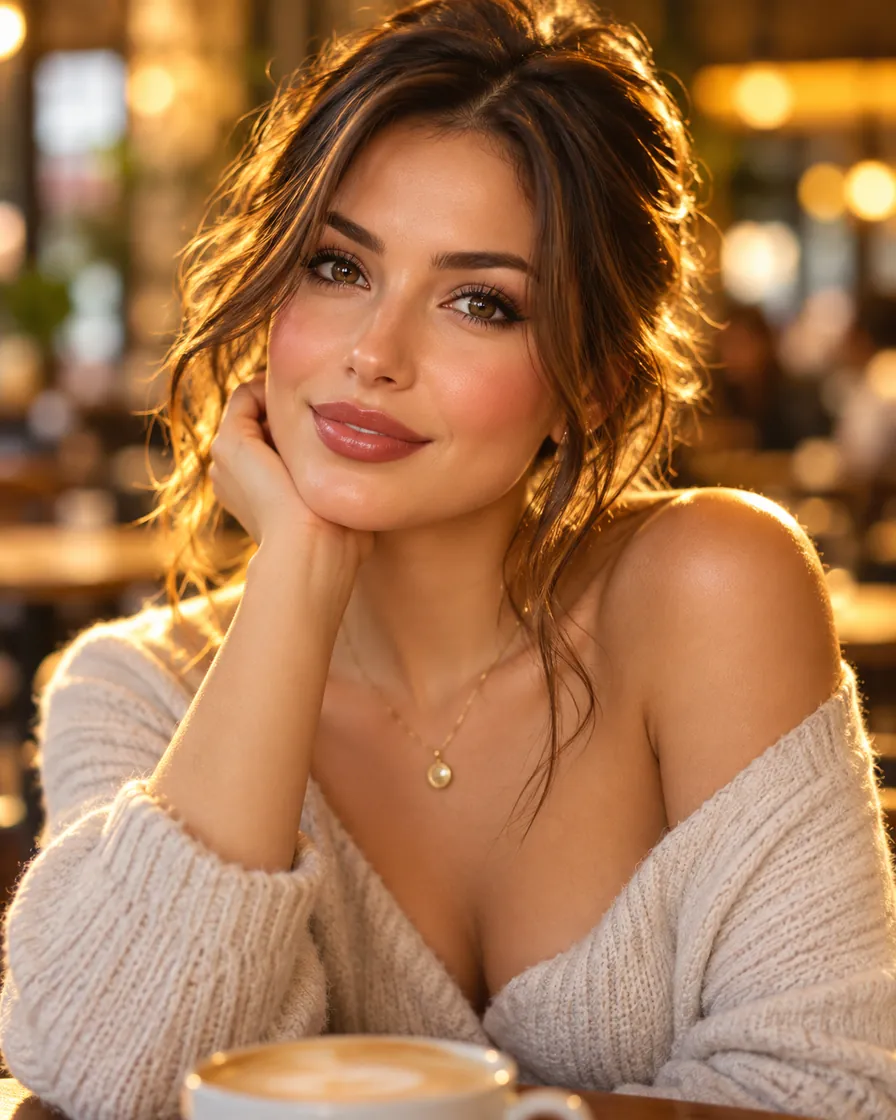
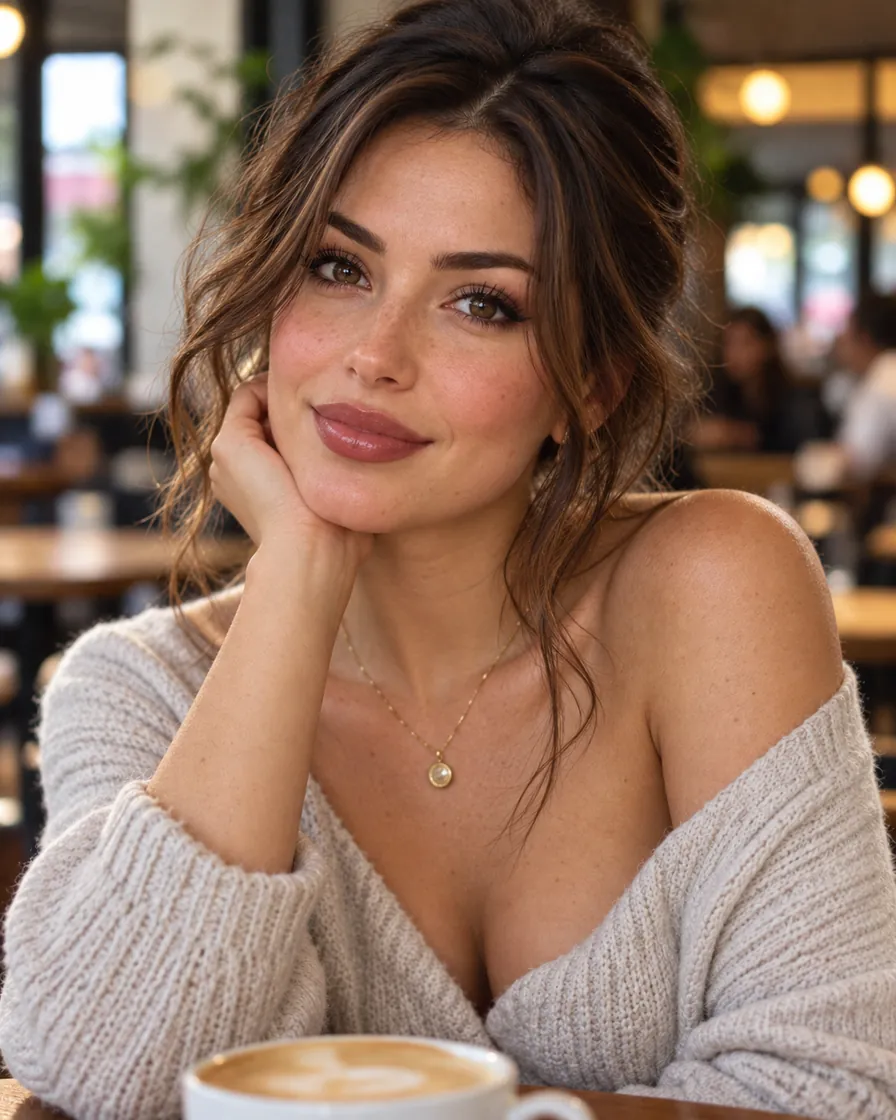
What gives ChatGPT images away
ChatGPT images come from GPT Image, which is excellent at composition and text, so the giveaways of ChatGPT images are elsewhere:
- An even, flattering light with no visible source.
- Skin that is smooth and slightly glowing, especially on cheeks and noses.
- Warm, saturated colour, often with a golden tint.
- Backgrounds that are tidy and evenly blurred.
Prompt changes that make GPT Image more realistic
When you ask ChatGPT for a new image, add physical detail instead of quality words. In ChatGPT these phrases change the result more than "photorealistic":
- "shot on an iPhone, natural colours, slight noise"
- "lit only by the window on the left"
- "real skin texture with visible pores, no retouching"
- "a slightly messy background with everyday objects"
- "candid, mid-movement, not posed"
If you already have the picture
Asking ChatGPT again usually gives you a new person or a new layout. If you like the image, keep it and change only how it is rendered.
Upload it to the AI image humanizer: the default instruction keeps the identity, pose, clothes, framing and any text, and replaces waxy skin, sourceless glow and over-saturated colour. It runs on Nano Banana 2.1 at 2K and takes about 30 seconds.
If only one thing is wrong, say the golden tint, use Remove AI Look and keep only that line in the instruction, so nothing else moves.
Step by step: make ChatGPT images look real
This takes about a minute and keeps the picture you already like.
- Download the ChatGPT image at full size (PNG or WebP from ChatGPT both work).
- Open the humanizer and upload the ChatGPT image.
- Read the instruction. Add a detail if the picture needs one, such as "keep the freckles" or "make it a grey winter afternoon".
- Confirm you may edit the picture and press the button. The pass costs 5 credits.
- Drag the handle over the result to compare it with the ChatGPT original, then download it.
Which ChatGPT images benefit most
Portraits and headshots made in ChatGPT gain the most, because skin and light are where GPT Image is most polished. Food and product shots made in ChatGPT come next: generated glass, metal and sauces shine like plastic, and a humanizer pass makes them matte and believable.
Illustrated ChatGPT images (cartoons, anime, flat graphics) keep their style in the humanizer. If you want a ChatGPT illustration turned into a photograph, use Make AI Photo Realistic instead.
Editing ChatGPT images with GPT Image itself
The AI image editor on AIImageEditor.pro includes GPT Image 2 and GPT Image 2.5 (10 credits an edit). Upload the picture and write the fix, for example "keep everything, but make the light a plain overcast day and give her real skin texture". GPT Image 2.5 is the most careful about leaving the rest of the picture alone.
FAQ
Why do ChatGPT images look so polished?
GPT Image is tuned toward clean, attractive results: even light, smooth skin and saturated colour. Those defaults read as generated.
Can I humanize a ChatGPT image without changing the person?
Yes. The humanizer keeps identity, pose, clothes and framing and changes only skin, light, colour and depth.
How much does it cost to make ChatGPT images look real?
5 credits a pass; new accounts get 5 free credits, so the first ChatGPT image is free.
Can I ask ChatGPT itself to make the image more realistic?
You can, but ChatGPT usually redraws the scene and the person changes. A humanizer keeps the exact ChatGPT image and changes only the rendering.
Try the AI image humanizer
5 free credits when you sign in with Google. No watermark.
Try the AI image humanizer